
How to purchase an SSL
What is SSL? SSL is an acronym for Secure Sockets Layer, an encryption technology that was created by Netscape. SSL creates an encrypted connection between your web server and your visitors’ web browsers allowing for private information to be transmitted without the problems of eavesdropping, data tampering, or message forgery.
If you are transmitting sensitive information on a website, such as credit card numbers or personal information, you need to secure it with SSL encryption. It is possible for every piece of data to be seen by others unless it is secured by an SSL certificate.
For further information on the SSL and our prices, check out this helpful page.
If you wish to purchase the SSL, you can follow the guide below to aid you in the process.
For this article, we will assume that you are already logged into Client Area.
You can access this page directly by clicking here.
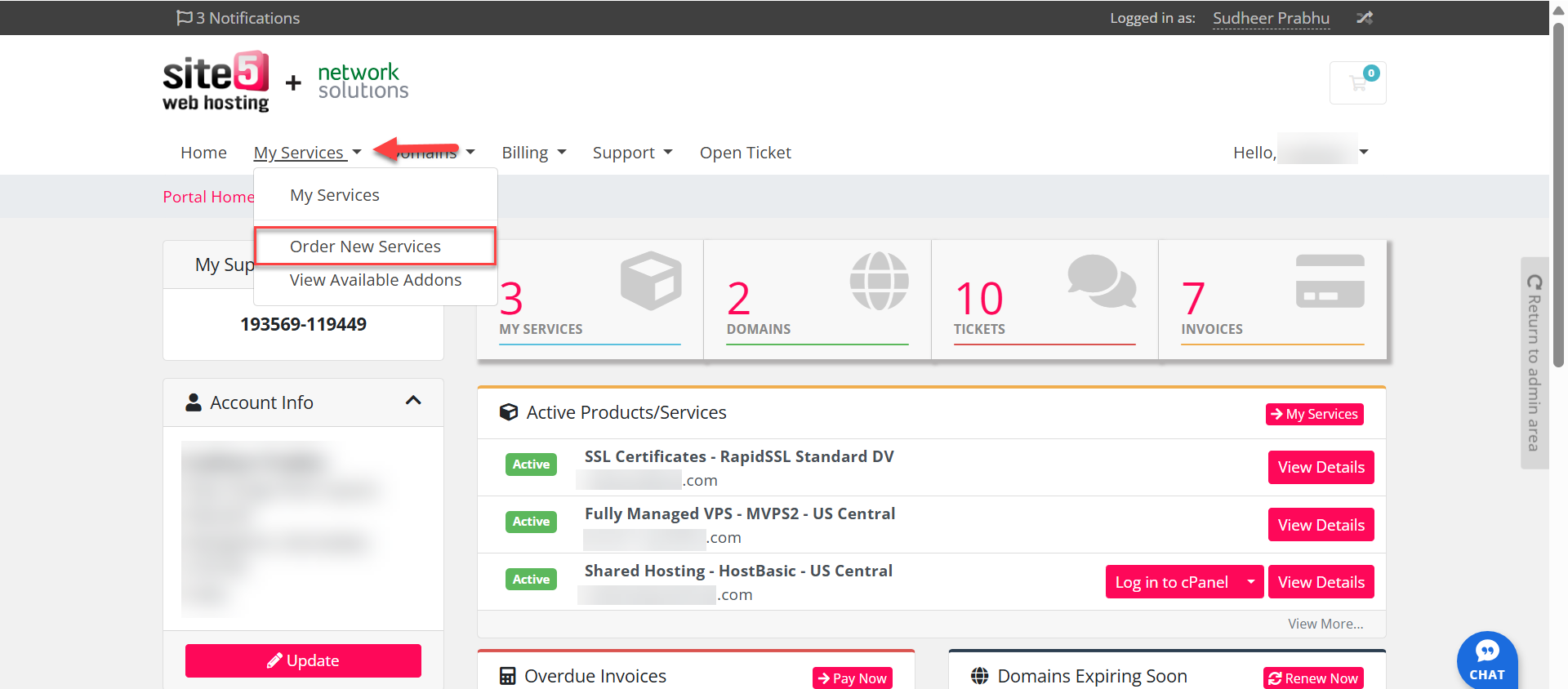
- On the Client Area, click on My Services and then select Order New Services.
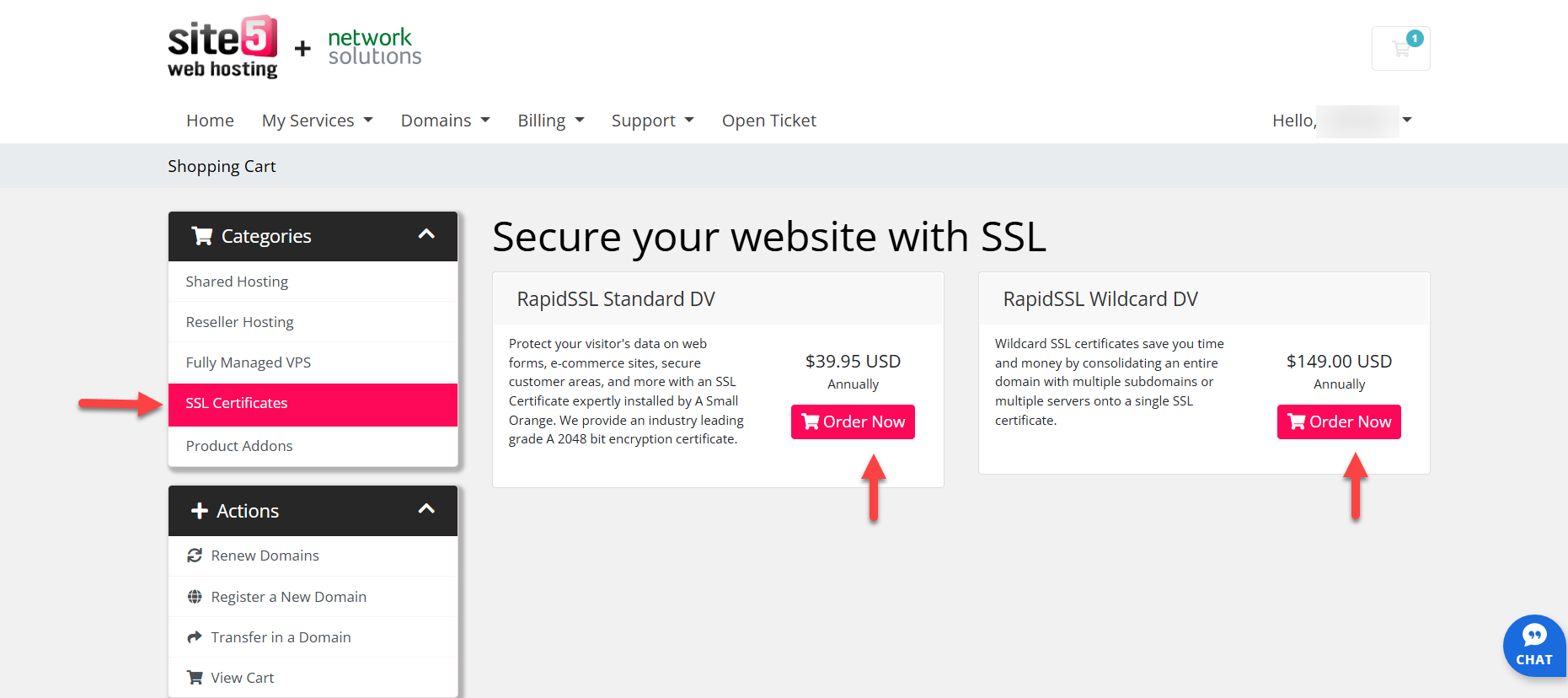
- Click SSL on the Categories tab in the left side.
- Choose the SSL certificate that fits your need then click Order Now.
- Configure your SSL certificate by:
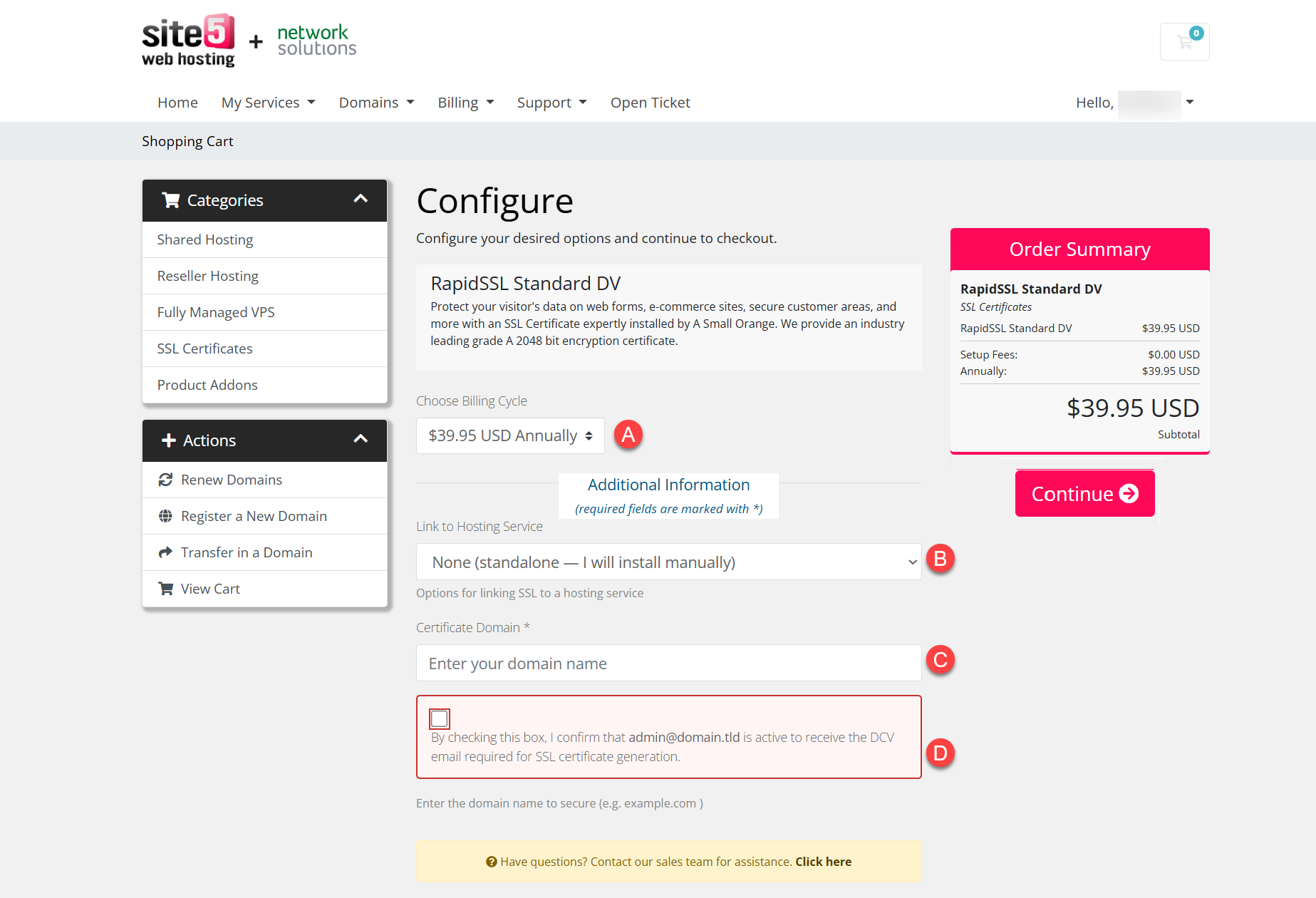
- Choose the billing cycle
- Optional: Link the SSL to a hosting service under the same account.
- Enter the certificate domain
- Check the SSL Domain Control Validation (DCV) Confirmation Checkbox.
Note: This only shows if you haven’t linked a hosting service.
- Click Continue.
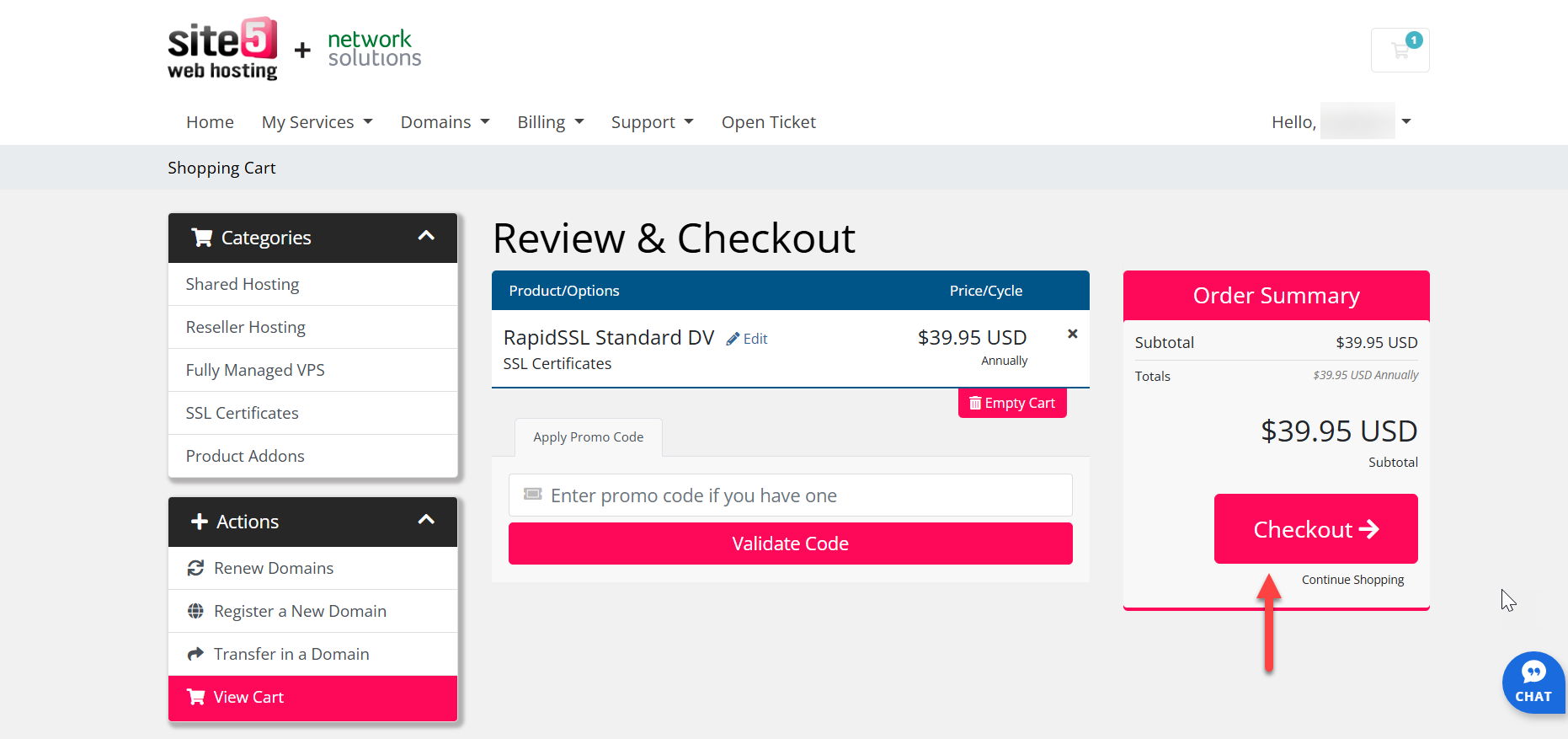
- Review your SSL order and click Checkout.
- On the Checkout page, you can:
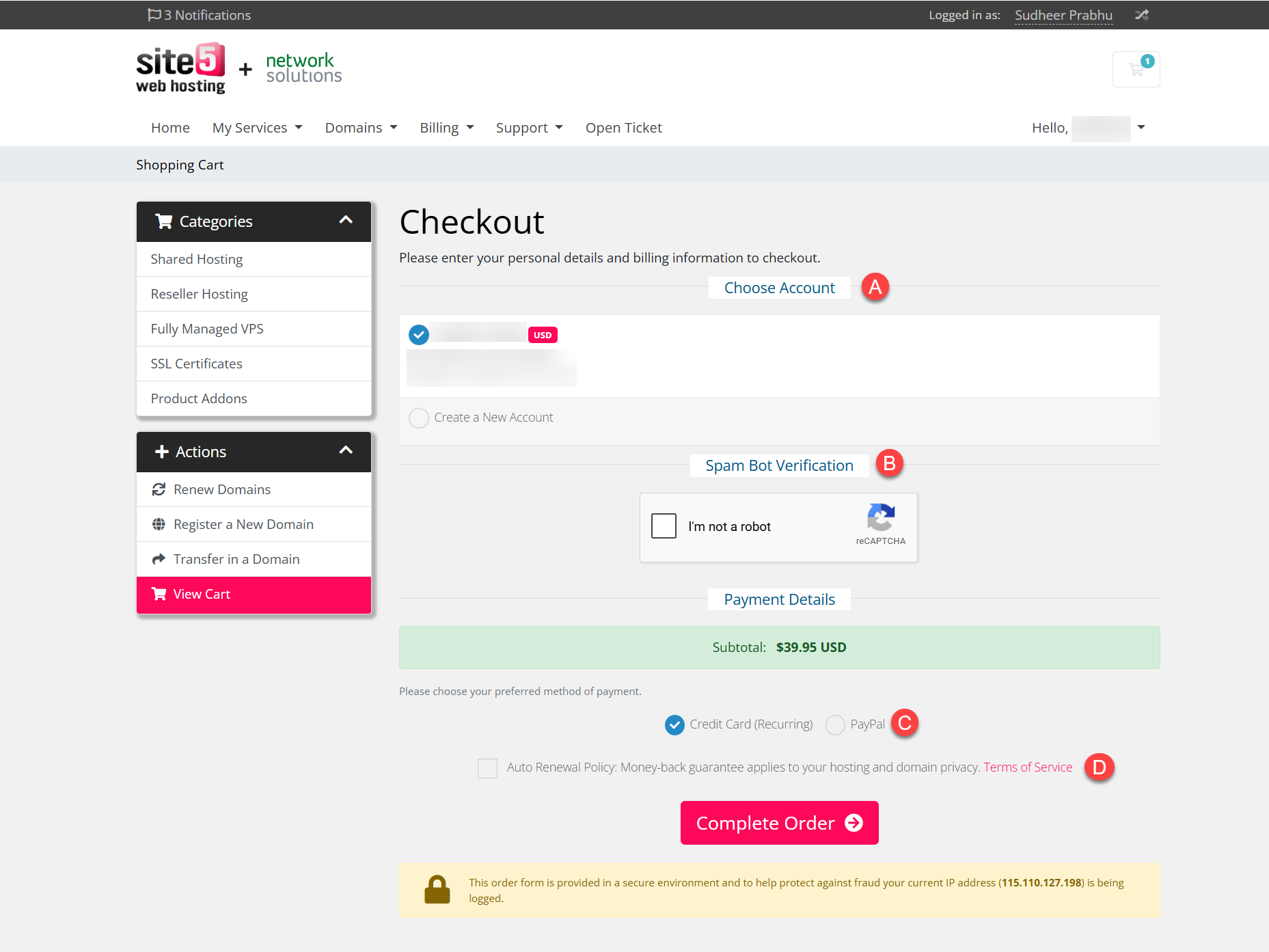
- Choose the account where the purchase will go under, either an existing one or a new one.
- Check the Spam Bot Verification.
- Choose the payment method for the order.
- Accept our terms of service by checking the Auto Renewal policy box.
- Click Complete Order.
- Proceed with the payment process.
- For credit cards: Enter the card details.
- For PayPal: Login to your PayPal account.
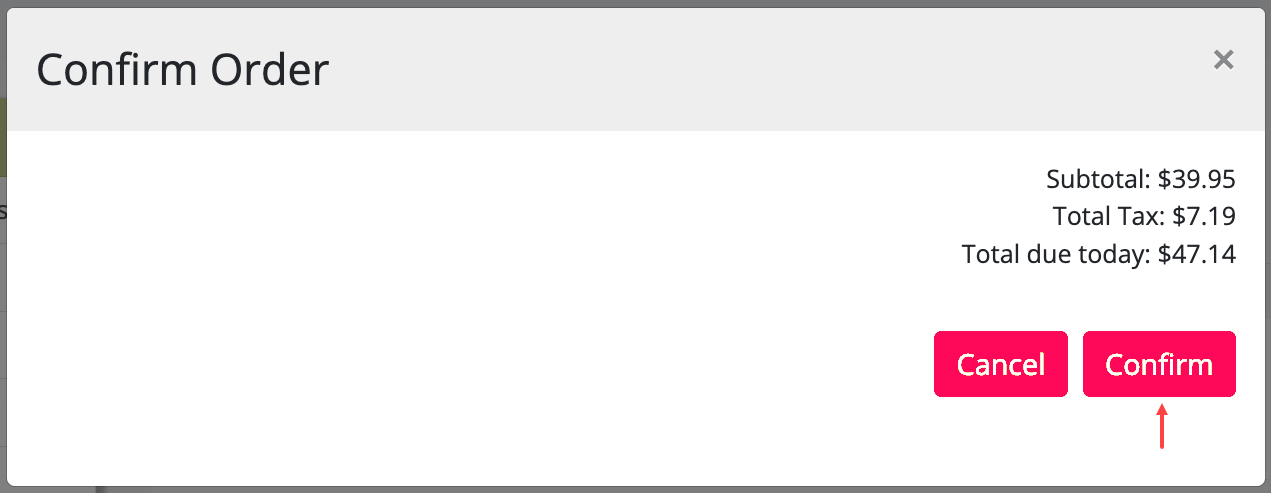
- Lastly, click Confirm.
That’s it! A ticket has been opened on your behalf, and a staff member will be contacting you regarding your request.

Fernando Alves de Oliveira October 28, 2014 at 2:36 pm
Quero comprar um certificado SSL que tenha o selo disponível em meu site para que os clinte veja o selo, de site seguro! Este certificado teve ser de 2048 bits e instalado pelo site 5 no servidor!
James Davey October 29, 2014 at 7:31 am
Hello Fernando,
I ran your comment through a translator, so I apologise if I miss anything :) You are looking for a certificate with a seal, is that correct? If so, you can get that done through the steps described here. You will need to ask for the seal separately in the ticket, but that is not a problem at all.
Fernando Alves de Oliveira October 29, 2014 at 8:59 am
Good morning James want this certificate with 2048-bit . THe certificate with seal on my site secure site where all can see clinetes. The installation must be made by site5 in my site, I have a doubt if the wild card (186 dollar annual) is good for me or if the EVSSL( 329 annual dollres required) is the best! JamesI have urgency for install the certificate and seal at site, because it is a requirement the administrator’s of credit card administrtion, please me streamlines the process of buying and selling facility, I’m waiting for your answer!
James Davey October 29, 2014 at 9:28 am
Hi Fernando,
For a more detailed suggestion, I would recommend you contact our support team. If you provide them with the details of what you need, they can make sure you get the right certificate :) 2048-bit is not a problem at all, and a wildcard certificate should only be needed if you want to secure multiple subdomains (www., sales., and billing., for example).
Fernando Alves de Oliveira October 29, 2014 at 10:14 am
Por favor vou desistir de comprar com vocês não consigo fazer a compra é muito burocrático o sistema não é possível fazer um ticket de compara eu pado é ele instalado o certificado que o de 329 dólares por ano com instalação do suporte da site 5, sera´possível ou não ?
James Davey October 29, 2014 at 10:30 am
Hi Fernando,
I apologise, but I am not quite sure what you mean. I am translating this again, but it is not working as well – can you explain your question in more detail?
Anonymous June 7, 2015 at 5:58 am
“10) Select the email you wish the SSL to be sent to.”…does this E-mail the new SSL Cert’s Private Key to me? If so, that’s bad, E-mail is insecure.
James Davey June 8, 2015 at 5:18 am
Yes, it is emailed to you. Our mail servers are as secure as they can be, however, and we take every precaution.